
Create a Pinterest Business Account Ready for Growth
A Pinterest business account gives creators and businesses access to analytics, business tools, and features that help measure performance, understand audiences, and build a stronger Pinterest presence.
Pinterest Business Account Setup is the first step for creators and businesses that want access to analytics, business tools, and better control over their Pinterest growth strategy.
Create Account
Choose the right business setup option.
Complete Profile
Add branding and relevant information.
Connect Tools
Claim website and enable analytics.
Pinterest Business Account Setup Roadmap
Follow this beginner-friendly roadmap to create, optimize, and grow your Pinterest business account.
Personal vs Business Account
Understand which account type is right for your goals.
Create Pinterest Business Account
Set up your account and business details.
Benefits of Business Account
Discover analytics and business features.
Enable Rich Pins
Improve your content visibility.
Optimize Business Profile
Create a searchable Pinterest presence.
Claim Website & Tools
Connect your website with Pinterest.
Add Pinterest Widgets
Increase saves and followers.
Pinterest Ads Setup
Understand paid promotion basics.
Pinterest Shop Setup
Use Product Pins for selling.
Analytics & Tracking
Measure your Pinterest performance.
Common Mistakes
Avoid setup problems.
Pinterest Business FAQ
Answers to common questions.
Pinterest Personal Account vs Business Account
Both account types can create Pins, but business accounts provide additional tools for creators, brands, and businesses that want to measure performance and grow strategically.
How To Create A Pinterest Business Account
Follow these steps to create your business account and prepare your Pinterest profile for content publishing, analytics, and future growth.
Choose Your Account Type
Create a new business account or convert an existing personal account if it fits your goals.
Add Business Information
Enter your business name, website, location, and category to help Pinterest understand your profile.
Select Your Business Goals
Choose goals that match your strategy, such as increasing traffic, building brand awareness, or promoting products.
Complete Your Profile
Add a profile image, description, and details that clearly explain what your business offers.
Access Business Tools
After setup, connect analytics, claim your website, and prepare your account for performance tracking.
Benefits of a Pinterest Business Account
A Pinterest business account gives creators, brands, and businesses access to powerful tools that help track performance, understand audiences, and build a stronger Pinterest growth strategy.
Pinterest Analytics Access
Track impressions, saves, clicks, and audience behavior to understand which Pins and content ideas perform best.
Website Connection Tools
Connect and verify your website to help Pinterest understand your content and unlock additional business features.
Audience Insights
Learn more about your audience interests, behaviors, and content preferences to create better Pinterest strategies.
Business Growth Features
Access tools designed for creators and businesses that want to promote products, services, or website content.
Enable Pinterest Rich Pins for Better Content Visibility
Rich Pins help Pinterest understand your website content by automatically adding useful information from your pages to your Pins.
Once enabled, Rich Pins can provide more context to your content and make your Pins more informative for people discovering your brand on Pinterest.
What Are Pinterest Rich Pins?
Rich Pins automatically pull important details from your website and display additional information directly on Pinterest.
Types of Rich Pins
Pinterest supports different Rich Pin formats including Article Pins, Product Pins, and Recipe Pins.
How To Enable Rich Pins
Verify your website, add the required metadata, and validate your pages through Pinterest Rich Pin tools.
Learn Pinterest Rich Pins →Your Website Should Have:
Should You Convert Your Personal Pinterest Account or Start Fresh?
If you already have a Pinterest account, you need to decide whether to convert your existing personal account into a business account or create a completely new business profile.
The right choice depends on your current audience, boards, content, and whether your personal account matches your business goals.
Convert Your Existing Account
Converting is a good option when your personal account already has relevant followers, boards, or content related to your business niche.
- Keep your existing audience
- Access business tools and analytics
- Continue growing from your current profile
Create a New Business Account
Starting fresh works better when your personal account content is completely different from your business topic.
- Build niche-focused boards
- Create a clean brand identity
- Organize content around your audience
Optimize Your Pinterest Business Profile
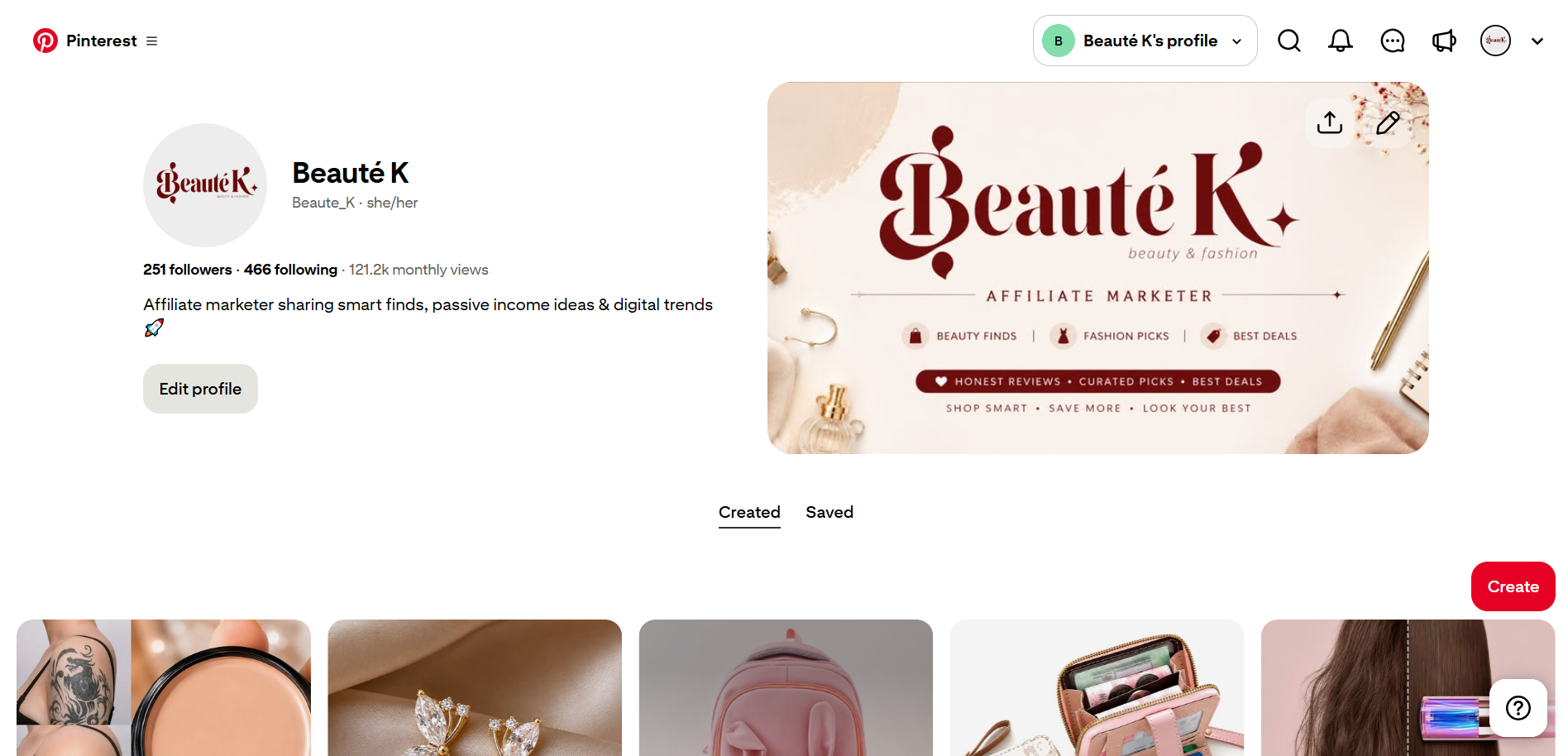
A complete Pinterest business profile helps users understand your brand, discover your content, and trust your account before clicking through to your website.
Profile Name
Use a clear brand name with relevant context so users quickly understand what your account is about.
Profile Description
Explain who you help, what type of content you share, and include natural topic terms related to your niche.
Profile Image
Use a recognizable logo or professional image that stays clear across different screen sizes.
Relevant Keywords
Add topic-related language naturally in your profile and boards to help users understand your content.
Claim Your Website and Connect Business Tools
Connecting your website helps Pinterest understand your online presence and unlocks useful features for tracking performance and improving your content strategy.
Pinterest Business
Explore official Pinterest business features, tools, and resources to improve your account setup and growth strategy.
Visit Pinterest Business →Verify Website Ownership
Connect your website to your Pinterest business account to confirm ownership and access additional business features.
Enable Analytics Tracking
Monitor impressions, saves, clicks, and audience behavior to understand content performance.
Use Rich Content Features
Connect your website content properly so Pinterest can provide better context for your pages and Pins.
Pinterest Ads Setup Basics for Business Accounts
Pinterest Ads help businesses reach users who are actively searching for ideas, products, and solutions. A business account gives you access to advertising tools that can help promote your Pins and drive targeted traffic.
Before running ads, understand your goals, audience, content, and tracking setup to create better campaigns.
Choose Your Campaign Goal
Select an objective based on your purpose, such as increasing brand awareness, driving website traffic, or generating conversions.
Create an Optimized Pin
Use attractive visuals, clear messaging, and relevant keywords before promoting your content through Pinterest Ads.
Target The Right Audience
Reach users through interests, keywords, demographics, and audience signals related to your business.
Track Campaign Performance
Monitor clicks, impressions, engagement, and conversions to improve future Pinterest advertising campaigns.
Learn Pinterest Analytics →Before Running Pinterest Ads
Set Up Pinterest Shop and Product Pins for Your Business
Pinterest is not only a platform for discovering ideas. Businesses can also use Pinterest Shopping features to showcase products, connect catalogs, and help users discover items they are interested in buying.
A properly optimized Pinterest Shop helps turn product discovery into website visits and potential sales.
Connect Your Product Catalog
Upload or connect your product catalog so Pinterest can understand your items and display them across shopping experiences.
Create Product Pins
Product Pins provide useful product information and help users discover items while browsing Pinterest search results.
Optimize Product Information
Use clear titles, descriptions, categories, and high-quality images to improve product discovery.
Track Shopping Performance
Review clicks, saves, and conversions to understand which products perform better on Pinterest.
Learn Pinterest Analytics →Before Selling on Pinterest
Create Pinterest Boards That Support Your Strategy
Well-organized Pinterest boards help users discover your content and make it easier for Pinterest to understand the topics your account covers.
Random Board Names
Things I Like, My Favorites, Cool Ideas
Search-Friendly Boards
Small Bedroom Ideas, Home Organization Tips, Budget Decor Ideas
Use Clear Topics
Create boards around specific audience interests and search topics.
Write Useful Descriptions
Explain what users can find inside each board.
Organize Related Content
Keep Pins grouped logically so visitors can explore your account easily.
Enable Pinterest Analytics and Measure Performance
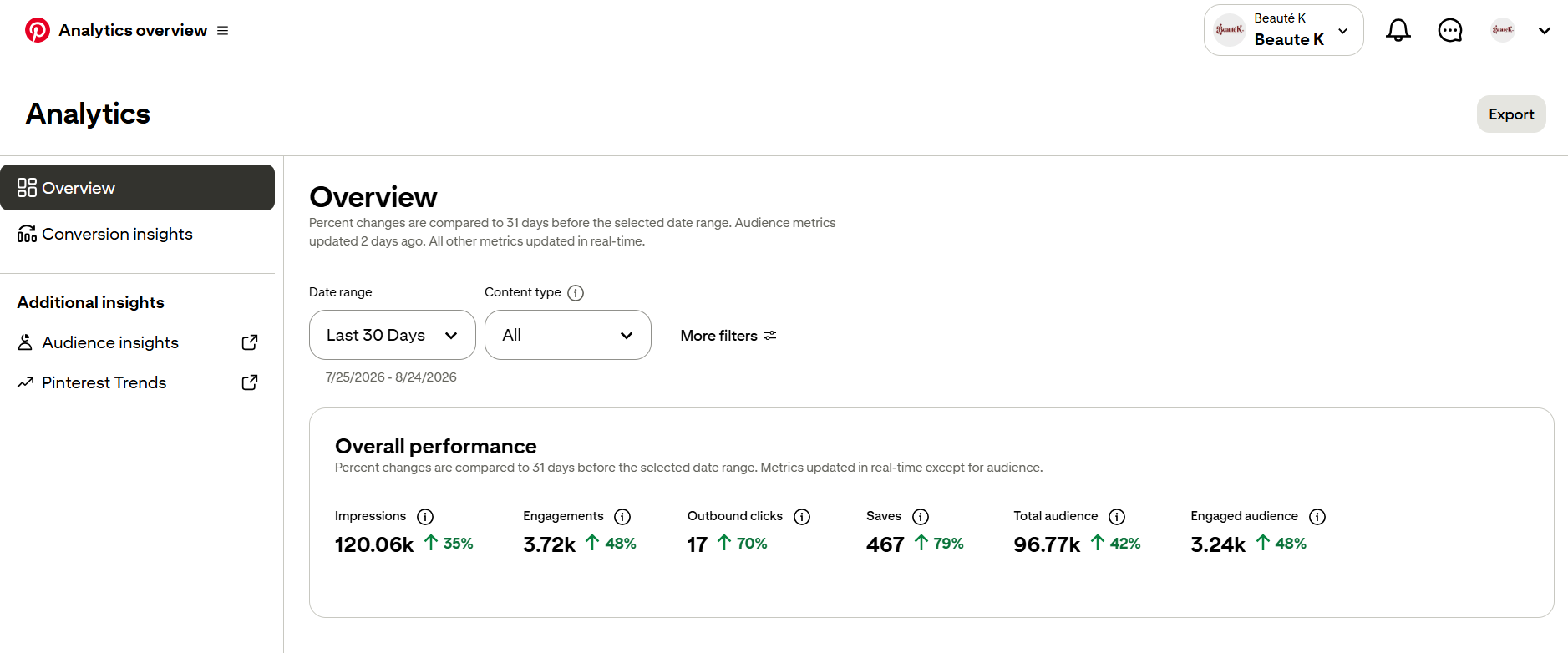
Pinterest Analytics helps you understand how people interact with your content. Use performance data to improve your Pins, boards, and overall content strategy.
Impressions
See how often your Pins appear in front of Pinterest users.
Saves
Understand which ideas users want to remember or revisit later.
Outbound Clicks
Measure how many users leave Pinterest and visit your website or destination.
Audience Insights
Learn more about audience behavior and content preferences.
Common Pinterest Business Account Setup Mistakes
A poorly configured account can limit your ability to organize content, understand performance, and build trust with your audience. Avoid these common setup issues.
Using a Personal Account for Business Goals
Personal accounts can create Pins, but they lack important business features needed for tracking and growth.
Leaving the Profile Incomplete
An empty profile makes it harder for users to understand your brand and content.
Creating Random Boards
Unorganized boards can confuse visitors and make your content strategy unclear.
Ignoring Website Connection
Without connecting your website, you miss useful tracking and business features.
Not Checking Analytics
Publishing content without reviewing results makes improvement difficult.
Pinterest Business Account Setup FAQ
Answers to common questions about creating, optimizing, and managing a Pinterest business account.
Yes. Pinterest business accounts are available without a subscription and provide additional tools designed for creators, brands, and businesses.
If your goal is growing traffic, promoting products, building a brand, or tracking performance, a business account is usually the better option.
Yes. Pinterest allows users to convert accounts depending on their needs. Review your current setup before making changes.
A website is not always required to create an account, but connecting one can help with tracking, ownership verification, and business features.
A business account provides tools and insights, but growth still depends on useful content, relevant topics, and a consistent Pinterest strategy.
Build Your Pinterest Strategy After Setup
Creating a Pinterest business account is only the foundation. The next step is optimizing your content strategy with searchable topics, better Pins, and a system that helps your audience discover your website.
A proper Pinterest Business Account Setup creates the foundation for better Pins, organized boards, performance tracking, and long-term Pinterest growth.
Learn Pinterest SEO →